Question-and-Answer Resource for the Building Energy Modeling Community
Get started with the Help page
Ask Your Question
2

EnergyPlus geometry GUI with IDF round-trip compatibility (Euclid replacement?)

asked 2026-01-05 06:16:46 -0600

Samuel de Vries's avatar

updated 2026-01-05 10:05:31 -0600

Hi,

I primarily work with EnergyPlus IDF files using text editors and Python (eppy). For geometry creation and editing, I would like to use a GUI-based tool, but with round-trip compatibility where I can:

  • Prepare or edit an IDF using a text editor or Python scripts
  • Open the same IDF in a geometry GUI, Modify geometry
  • Save the IDF
  • Continue editing the IDF (HVAC, EMS, controls, etc.) without any loss of information and prefereably no renaming of zones-surfaces etc.

I have always used Euclid + SketchUp because this offers this round-trip editting.

My problem is that SketchUp 2019 (which Euclid depends on) is no longer supported. Installers are no longer available on the SketchUp website. My IT department does not allow continued use due to security concerns

I am aware that my existing Euclid workflow might still function with newer SketchUp versions (e.g. 2023), but even if that works temporarily, that Sketchup version will end up becomming unsupported soon as well.

I have evaluated several EnergyPlus GUIs, but I have found only tools that import only geometry and constructions, rewrite or drop HVAC, EMS, or other advanced IDF content.

My questions:

  1. Does anyone know of any plans for a Euclid-like tool in the future (i.e. a geometry editor that operates directly on IDF geometry while preserving all other objects)?
  2. What GUI tool would you recommend for editting geometry as an alternative that integrates well in a workflow including python/eppy?
  3. I'm most inclined to switch to using Openstudio + the Sketchup plugin and then follow a more linear process: define gemeotry -> setup HVAC etc in openstudio -> edit idf for anything that OS does not offer -> my own python eppy scripts for changing IDF's and running them. Am I missing anything in the OpenStudio route that might be more usefull?
edit retag flag offensive close merge delete

2 Answers

Sort by ยป oldest newest most voted
1

answered 2026-01-14 07:25:53 -0600

Not a definitive answer (to Question 3), by any means.


I've helped modellers go from IES VE to OpenStudio (via GBXML), and back:

  • import an IES-VE-exported GBXML file in OpenStudio
  • apply whatever geometry-based OS measure/change they were looking for
  • generate an IDF
  • then extract modifications (held in the IDF) and apply them to the original IES VE file (via Python scripting)

Tricky, but doable. The key was linking matching objects (in both files) using thermal zone and surface names (strings), which were fairly well preserved throughout the process. This would be much easier going from IDF > OSM > IDF. How straightforward this may be for you would depend on the nature of geometric changes, e.g.:

  • add windows and skylights?
  • reset floor-to-floor heights?
  • add an extension to an existing building?

Some of these changes can be of course scripted, depending on the situation. Curious, can you give a few examples of some of the geometry editing features you're looking into?


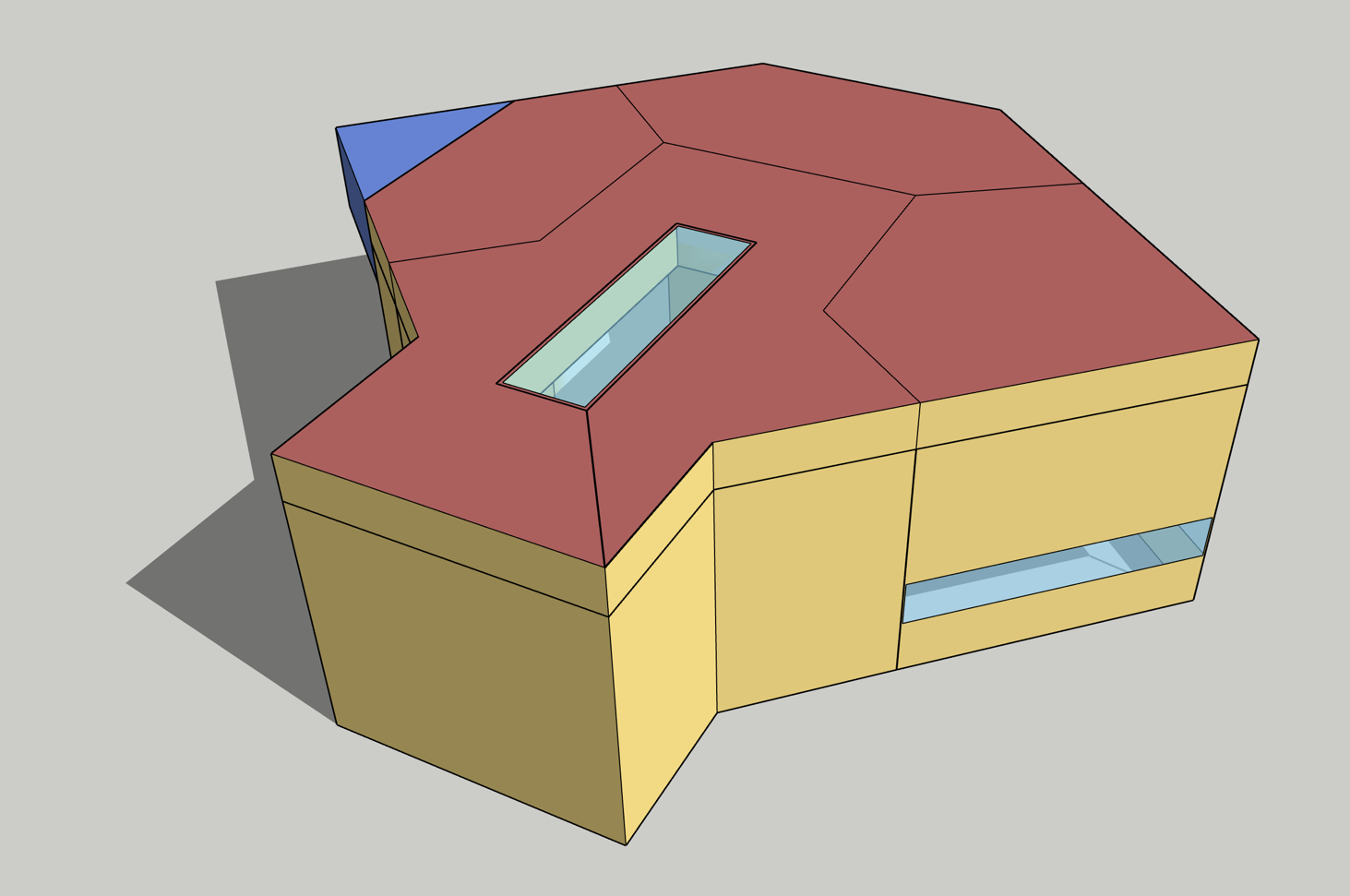
FYI, I try to maintain a Python version of a Ruby gem we use, OSut (see pyOSut). It supports some geometry-based editing like adding skylight wells (e.g. through plenums and attics):

image description

It's BSD-3 licensed, so you're free to use it within an OpenStudio environment, or even fork it and modify it to directly support IDF editing.


My 2-cents.


edit flag offensive delete link more
0

answered 2026-01-18 09:26:39 -0600

EP3 offers the forwards and backwards compatibility you're looking for. It perserves surface and zone names. EP3 supports EnergyPlus versions 24.1 through 25.2.

There is also a complete HVAC UI that offers the same round-trip compatibility.

edit flag offensive delete link more

Your Answer

Please start posting anonymously - your entry will be published after you log in or create a new account.

Add Answer

Training Workshops

Question Tools

3 followers

Stats

Asked: 2026-01-05 06:16:46 -0600

Seen: 204 times

Last updated: Jan 18